02 · Content from panels and controls
Build what the screen shows as a tree of elements in C#, with no escape sequences to learn. This is a whole interface, with a log, a gauge, a text input, and working buttons:
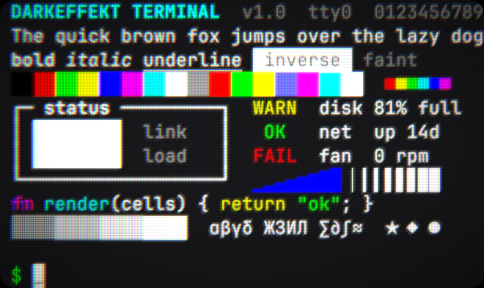
On a Color CRT
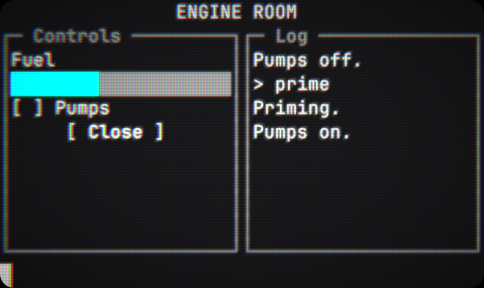
var log = new LogView();
var fuel = new ProgressBar { Value = 0.4f };
var ui = new TerminalUI();

ui.Root = new Dock
{
    { Edge.Top, new Label("ENGINE ROOM") { Align = Align.Center } },
    { Edge.Bottom, new TextInput { OnSubmit = text => log.Add("> " + text) } },
    { Edge.Left, new Border("Controls") { Width = 22, Child = new Stack
        {
            new Label("Fuel"), fuel,
            new CheckBox("Pumps") { OnChanged = on => log.Add(on ? "Pumps on." : "Pumps off.") },
            new Button("Close", ui.Close),
        } } },
    new Border("Log") { Child = log },
};

session.RunSurface(new UISurfaceProgram(ui));
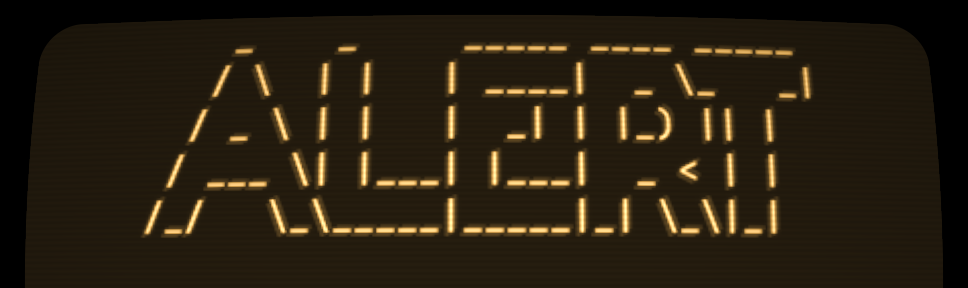
Headlines draw large, in any FIGlet font:
On an Amber CRT
[SerializeField] FigletFontAsset titleFont;

var title = new BigText { Text = "ALERT", Font = titleFont.Font, Align = Align.Center };
What you get
- Layout
- Dock, Stack, Grid, Border, and Spacer, sized in whole cells.
- Controls
- Label, Button, CheckBox, TextInput, ListView, LogView, and ProgressBar.
- Text that wraps
- Labels and logs wrap at words or anywhere. Widths count cells, so wide characters and combining marks land where they should.
- Focus and input
- Tab and Shift+Tab move focus, a click focuses what it lands on, and lists and text inputs handle their own keys, paste, and the wheel.
- Pointing in the scene
- A scene screen maps the camera ray to a cell, following the curvature, so a player clicks a button on a monitor across the room. Supply a ray of your own for an XR controller or an in-game cursor.
- Live textures
- TextureView reserves room in the layout by name. Bind a camera feed or any other texture to that name on the session, and draw labels, brackets, or a reticle over it in characters.
- Big lettering
- BigText draws headlines in a FIGlet font. The Standard font is bundled, and a .flf file in the project imports as an asset.
- Charts
- Sparkline graphs a stream of values, and bars fill in eighths of a cell for smooth gauges. A ColorRamp colors a bar along its length, green through yellow to red.
- Color
- Mix two colors as stored, by light, or perceptually, and read a ColorRamp by position for a heat map or a fading trail.
- Your own drawing
- Paint gives you a region and a canvas with text, fill, and box calls, for a gauge or a waveform.
- Theme colors
- An interface starts from the session palette, so it follows the theme.
- Showcases
- Seven animated interfaces in the Demo sample to run and copy: a station dashboard, a radar, a spectrum analyzer, a star map, a dossier with marked-up photographs, a boot sequence, and falling code.
- Printed lines
- For a boot sequence or a log a player only reads, print lines from game code with session.Emulator.FeedText.